

UNDETECTED • WORKING
Heartopia Cheats & Hacks 2026
Heartopia hands you a big pretty island, then fills your day with errands. Our Elysium Heartopia Cheat does the errands. ESP points out every berry bush, mushroom, bubble, fish and player, auto farm walks the picking route for you, and the fishing and cooking helpers keep working while you relax. Pay, and the key and loader are in your account right away.
Heartopia Cheat Features
| Visuals & ESP | Automation, Fishing & Cooking | Travel & Teleport |
|---|---|---|
 Player ESP (Live Boxes) |
Auto Farm (Berries & Mushrooms) |
Walk Mode with Pathfinder |
|
NPC ESP (Quest NPC Tagged) |
Auto Resource Farm (Trees, Rocks, Ores) |
Teleport Mode |
|
Blueberry, Raspberry & Mushroom ESP |
Auto Fish |
Go to Quest Target |
|
Bubble & Insect ESP |
Fish Farm (74 Spots) |
Go to Map Marker |
|
Meteorite ESP |
Auto Cook |
Saved Locations & Patrol |
|
Fish ESP |
Auto Collect Bubbles |
Auto Story |
|
Cooldown Timers on Gather Spots |
Auto Repair & Auto Eat |
Players on Island + Go to Player |
|
FOV, Zoom-Out & Draw Distance |
Auto Dialogue & Quest Choices |
No Clip & Game Speed |
Heartopia Cheat Screenshots
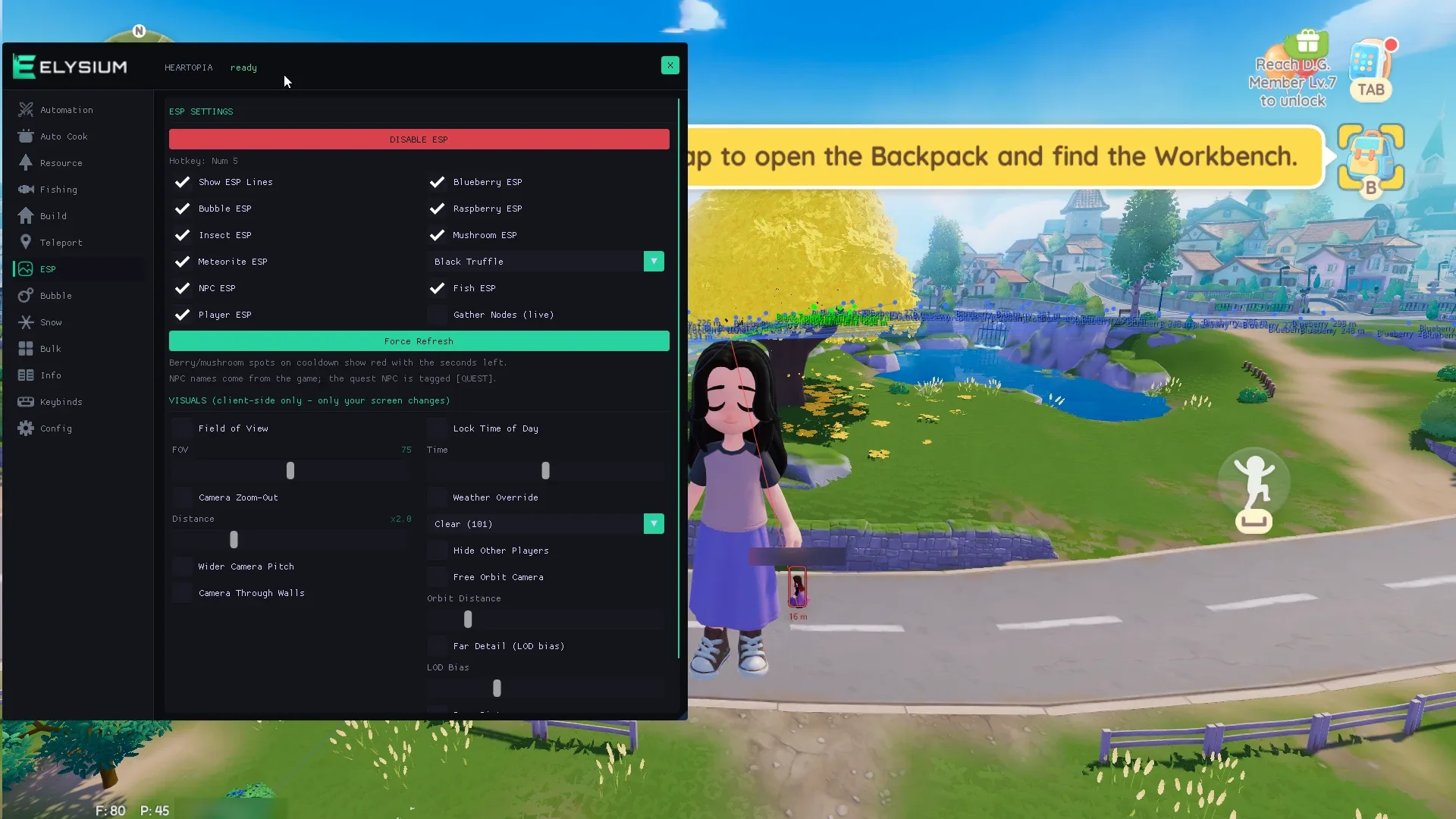
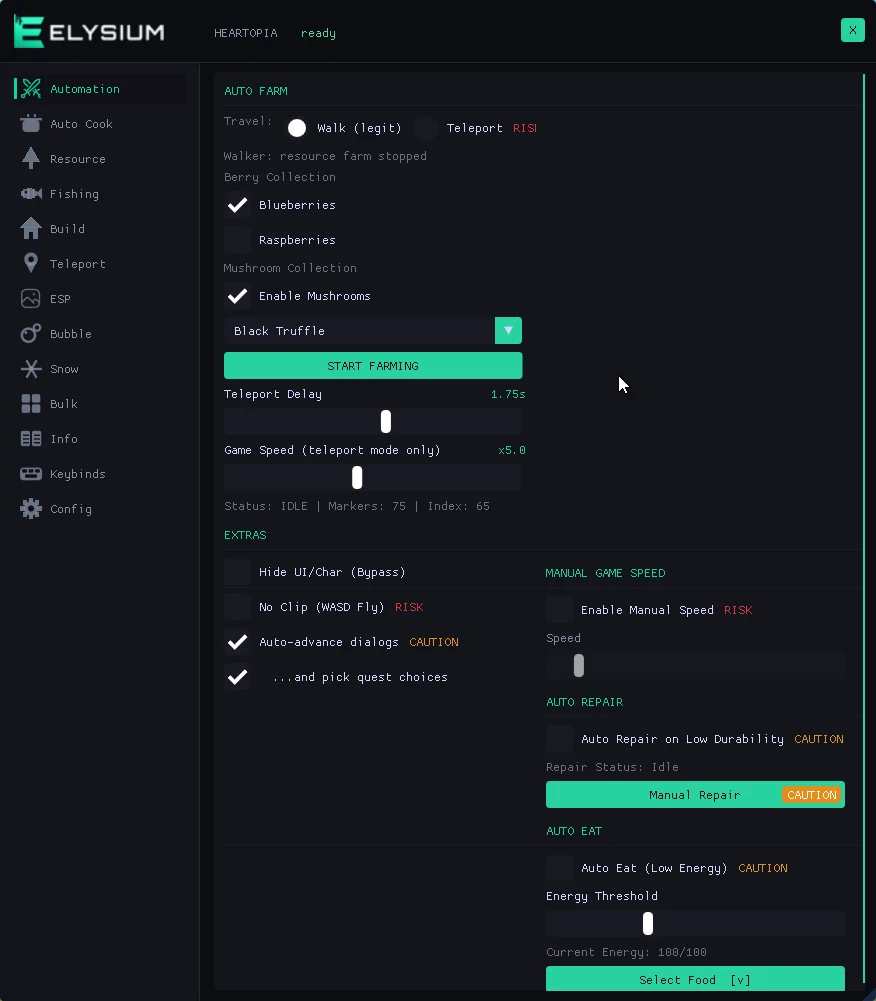
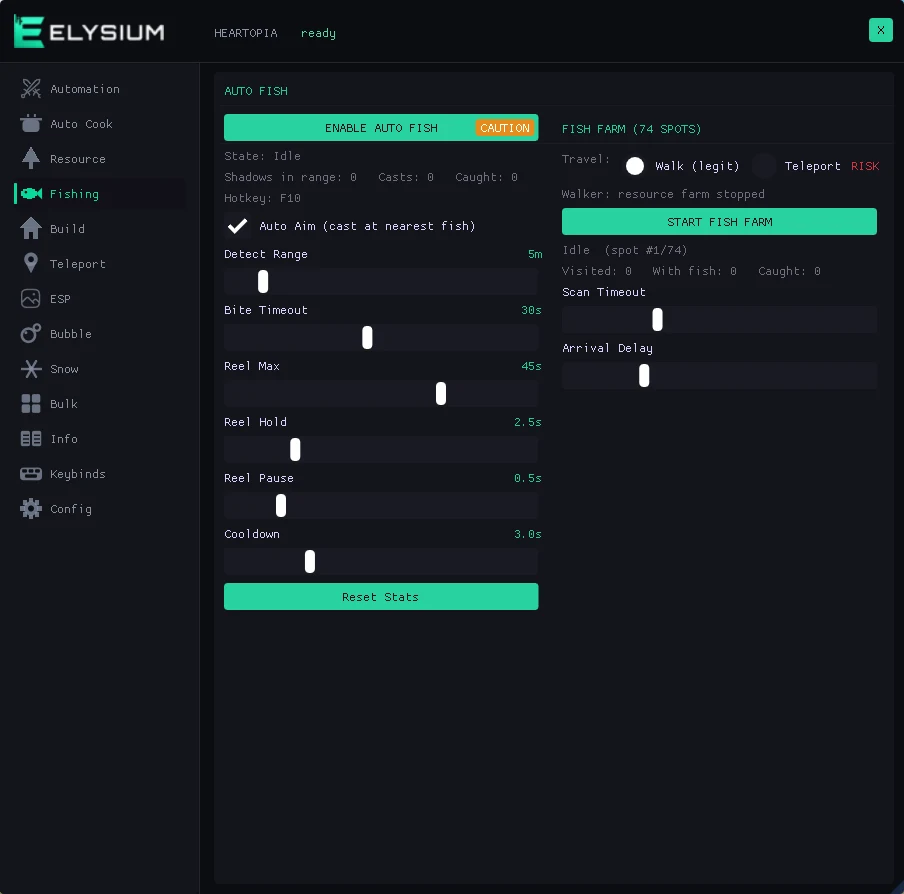
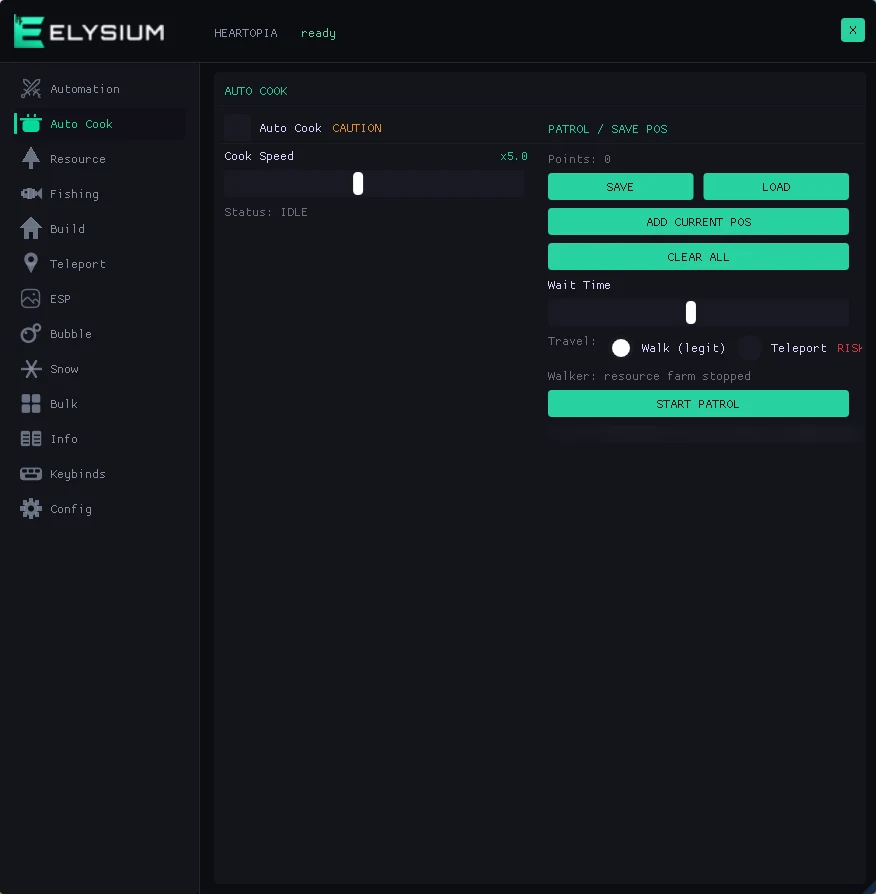
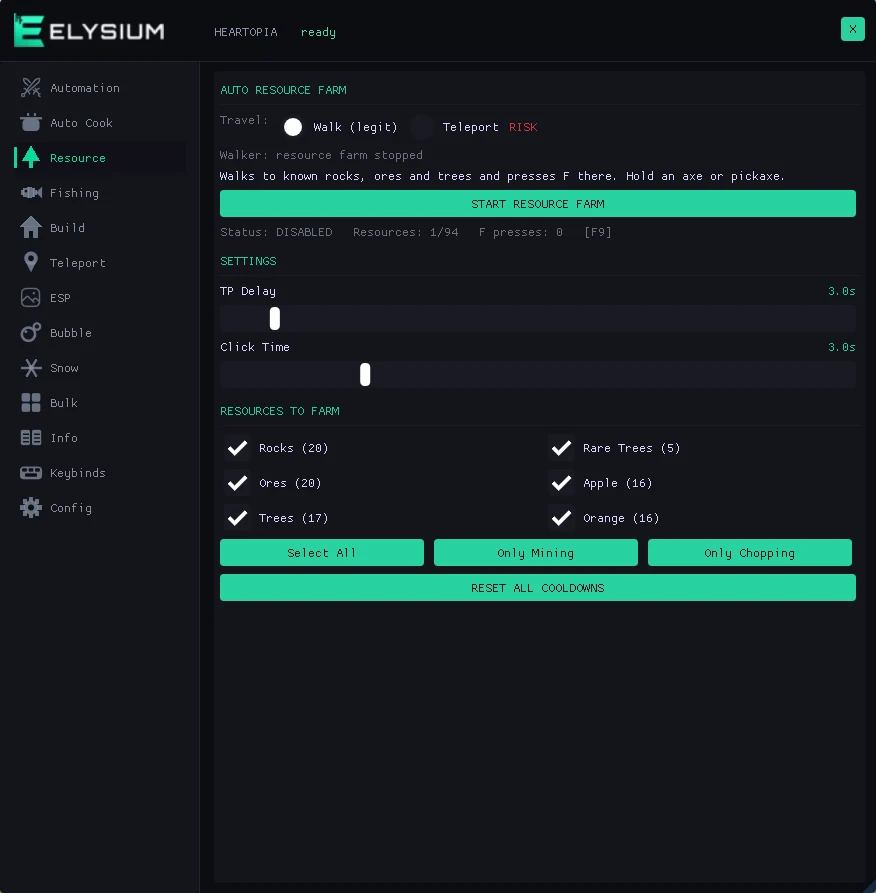
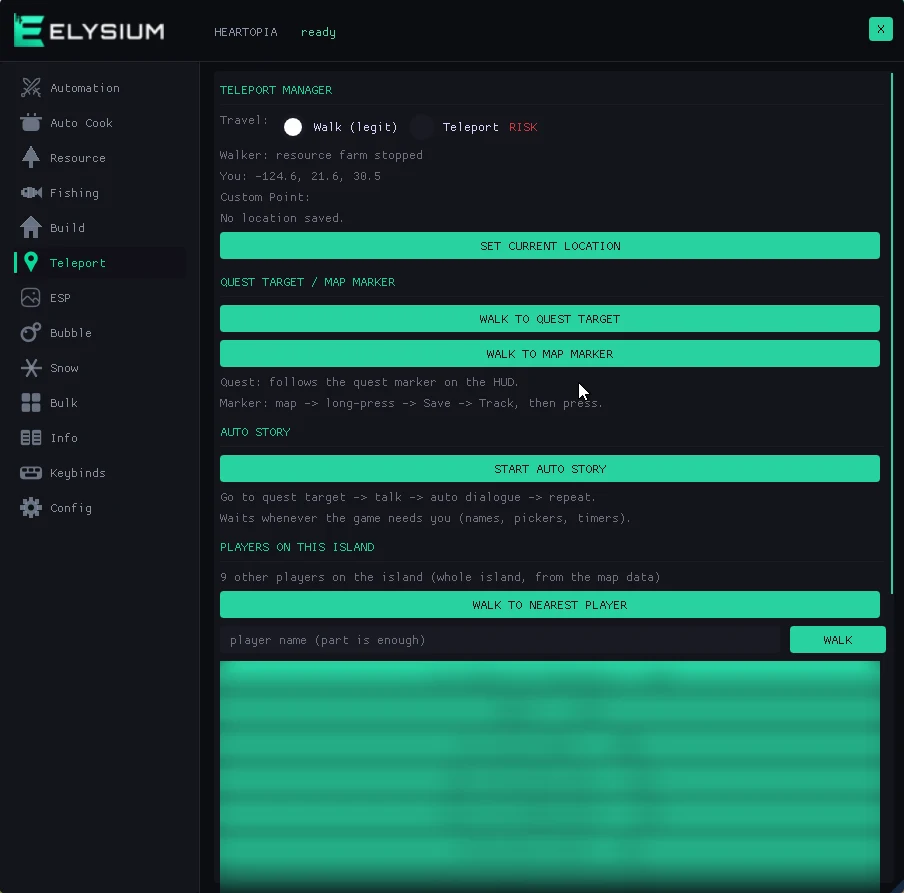
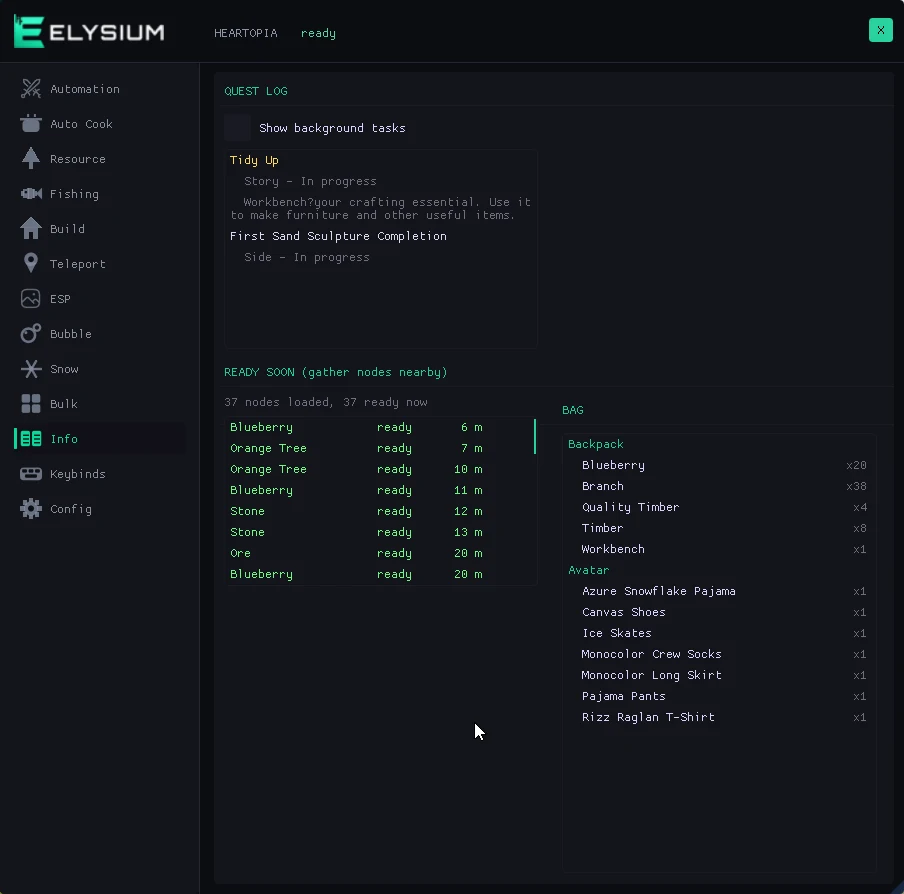
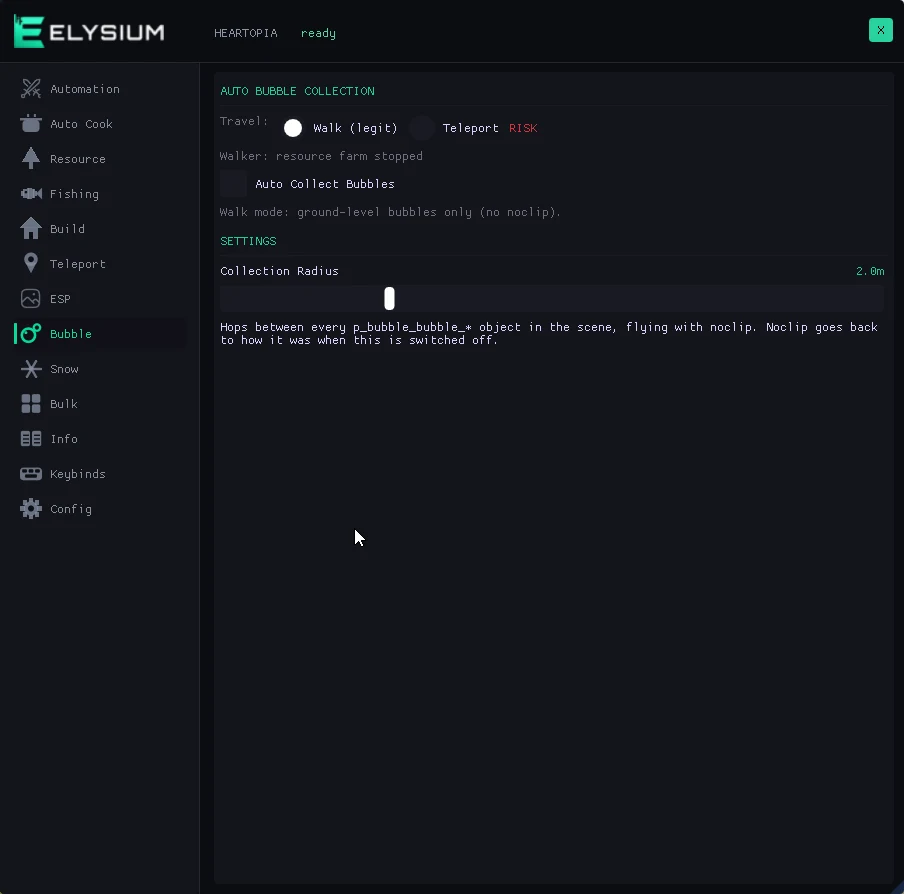
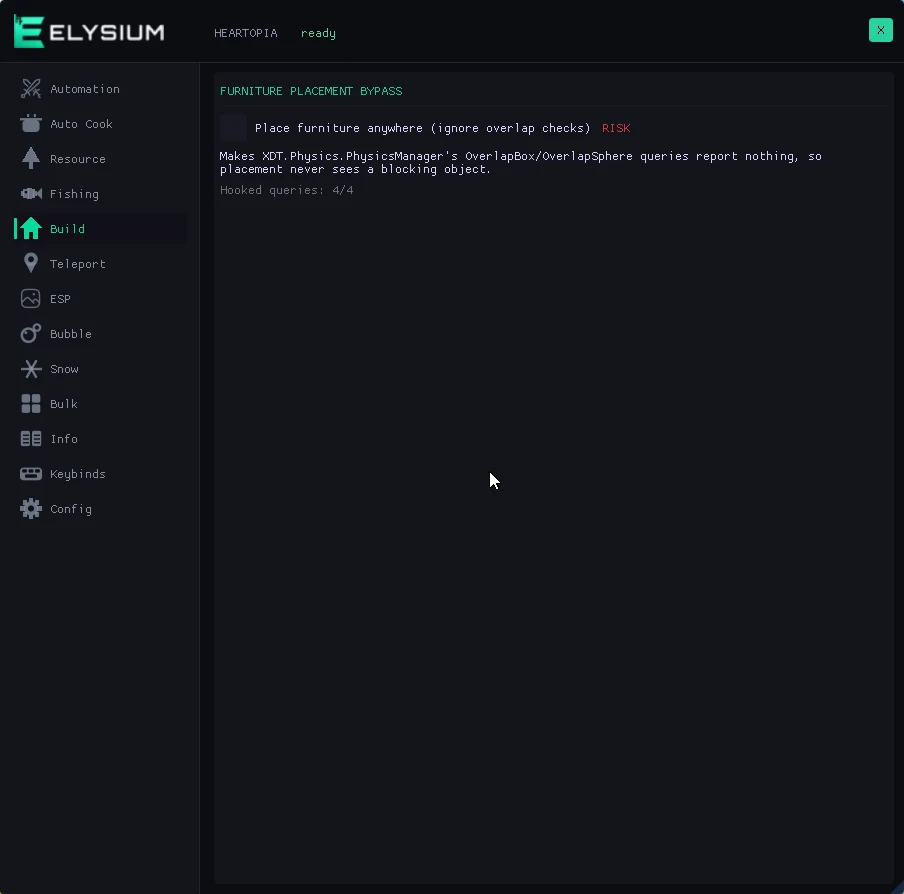
Taken straight from the loader: the menu running in game, then the Automation, Fishing, Auto Cook, Resource, Teleport, Info, Bubble and Build tabs.

Why players run Heartopia hacks
Heartopia is meant to calm you down, and it works, until you notice how much of it is legwork. The same paths to the same bushes, waiting for berries to grow back, standing at the water for a bite, clicking through dialogue you have read ten times over. The bubble, insect or meteorite you actually need is always somewhere you have already looked.
- Berry and mushroom runs eat whole evenings
- Fishing and cooking want the same clicks over and over
- Bubbles, insects and meteorites spawn where you are not
- Quests are mostly walking there and clicking through talk
Our Heartopia cheat menu takes the repetition off your hands. ESP marks berries, mushrooms, bubbles, insects, fish, NPCs and players nearby, and any gather spot on cooldown shows the seconds left. Auto Farm walks bush to bush and only picks what is ready. Auto Fish and Auto Cook do their jobs while you watch, and Auto Story takes you to the next quest target and clicks the talk for you. Each part of the Heartopia hack is on a key you choose.
Heartopia Cheat System Requirements
- Made for the Steam version of Heartopia on PC.
- Runs on every version of Windows 10 and Windows 11, including 26H2.
- Works on both Intel and AMD CPUs.
- Works in fullscreen, borderless and windowed mode.
- You get the loader, your key and a step by step setup guide. Press F7 to inject, then Home in game to open and close the menu.
How safe is the Heartopia cheat?
Honest answer: Heartopia is online, your account sits on the developer’s servers, and no Heartopia hack is zero risk, whatever anyone tells you. Here is what this menu touches and what it leaves alone. Items, cooldowns and quests are only read, never changed. What the server can watch is how you move and what you click. Walk mode keeps your movement and timing looking normal. Teleport, No Clip and Game Speed do not, and the menu labels them RISK so you know before you press anything. On an account you care about, leave the loud ones alone.
Every Heartopia patch gets checked the day it lands, and if one breaks the menu we ship a rebuild through the loader. After an update, glance at the status page once before you play.
👁️ ESP: Every Berry, Bubble, Fish and Player
This tab is why other people find things before you do. Switch ESP on and blueberries, raspberries, mushrooms, bubbles, insects, meteorites and fish each get a line and a box, and gather spots carry their name. A spot still on cooldown turns red with the seconds left. NPCs show their names, the one your quest wants is tagged, and player boxes track everyone live out to about 100 meters. The visuals beside it change only your own screen: field of view, zoom, camera tilt, time of day, weather and draw distance.
ESP Features
• Berry & Mushroom ESP: Blueberries, raspberries and mushrooms, each with its name.
• Bubble, Insect & Meteorite ESP: Marked as soon as they spawn near you.
• Fish ESP: Know where the fish are before your first cast.
• NPC & Player ESP: Named NPCs, quest NPC tagged, live player boxes.
• Cooldown Timers: Red timers on spots that are not ready yet.
• Camera & World Visuals: FOV, zoom, camera through walls, time and weather.
⚡ Auto Farm, Fishing & Cooking: Let the Menu Do the Chores
Auto Farm is the star. It walks to each bush, presses F to pick, and leaves anything on cooldown alone, for blueberries, raspberries and the mushroom you choose. Auto Resource Farm works the same way on trees, rocks and ores while you hold an axe or pickaxe. Auto Fish casts, waits for the bite and reels in, Fish Farm works down all 74 fishing spots one after the other, Auto Cook keeps the cook button going, and Auto Repair with Auto Eat look after your tools and your energy.
Automation, Fishing & Cooking Features
- Auto Farm: Walks bush to bush and picks only what is ready.
- Auto Resource Farm: Chops and mines with the right tool in hand.
- Auto Fish: Casts, waits for the bite and reels in.
- Fish Farm: All 74 fishing spots, worked in order.
- Auto Cook: Cooking that keeps going without the clicks.
- Auto Collect Bubbles: Chases down every bubble in reach.
- Auto Repair & Auto Eat: Tools fixed and energy refilled on their own.
- Snow Sculpture, Bulk Select & Furniture: Sculpting, bulk bag handling and furniture placed anywhere.
One thing to keep in mind. Automation performs real actions in the game, picking, casting, clicking, and the menu tags all of it CAUTION. In walk mode your character moves like a person farming, which is exactly what it looks like to anyone nearby. That is fine for an evening. A character that farms for three days straight is not normal, so do not do that.
🎯 Walk or Teleport: Quests, Markers and Players
Getting around comes down to one switch at the top of the travel tab. Walk mode feeds the game normal movement input, the same as holding W, and the pathfinder plans real routes around rocks, ponds, cliffs and houses, replanning whenever something blocks the way. Teleport mode is the quick version, short hops instead of walking, and the server can see the difference. Headed to the quest target, a map marker, a saved spot or a specific player, the tab takes you there. Auto Story strings it all together: travel, talk, click through the dialogue, next step.
Travel & Teleport Features
• Walk Mode: Real routes around rocks, water, cliffs and houses.
• Teleport Mode: Short hops, much faster, easier to notice.
• Quest Target & Map Marker: Straight to the quest NPC or your own pin.
• Saved Locations & Patrol: Save your spots and loop through them.
• Auto Story: Travel, talk, click, repeat, and it waits when the game needs you.
• Players on This Island: Everyone listed with live distance, nearest or by name.
• No Clip & Game Speed: Fly with WASD and turn the game clock up.
• Info & Config: Quest log, gather timers, bag viewer, hotkeys, saved configs.
FAQ : Heartopia Cheats
Q: Does the Heartopia cheat work on Windows 10 and Windows 11?
A: Yes, all of them, 26H2 too. Fullscreen, borderless and windowed all work. Keep the loader updated, and after a big Heartopia or Windows update check the status page once before playing.
Q: Which version of Heartopia does it work on?
A: The Steam PC version. Launch the game from Steam first, then use the loader to inject.
Q: How quickly do I receive access after purchasing?
A: Right away. 30 days costs $14.99 and lifetime costs $49.99. As soon as the payment goes through, your key and loader are waiting in the account dashboard and in your email.
Q: Can I get help installing the Heartopia cheat?
A: Yes, free of charge. Open the loader as admin and paste your key, start Heartopia, press F7 to inject and Home in game for the menu. Anything not working, open a Discord ticket and the team helps you sort it.